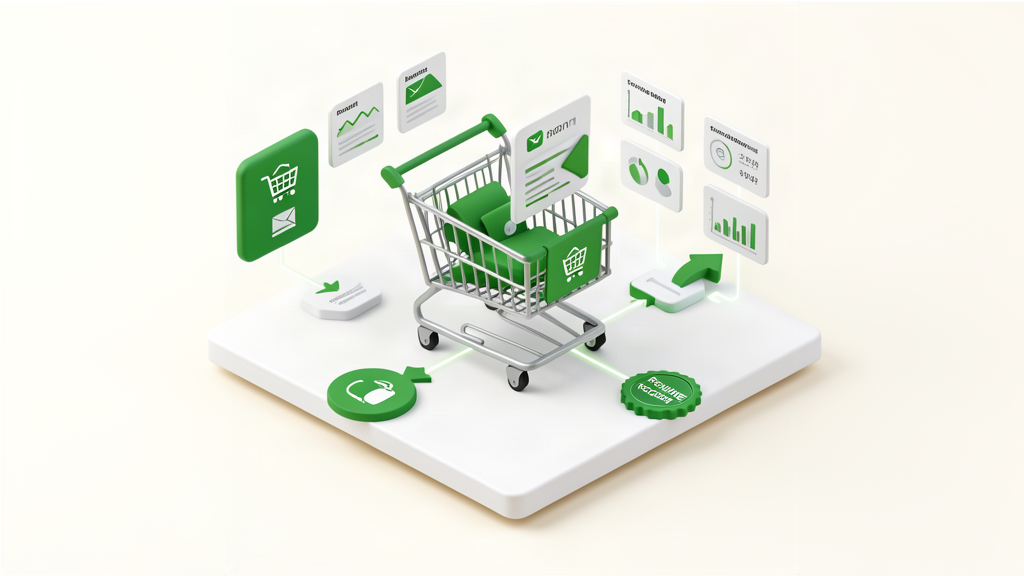
Build an Automated Abandoned Cart Recovery System with n8n
The Quick Answer
Abandoned cart recovery sequences are designed to automatically remind customers who left items in their cart. According to Baymard Institute, the average cart abandonment rate is 69.8%. Industry benchmarks from email platforms like Klaviyo report recovery rates typically ranging from 3-14% depending on implementation. This tutorial shows you how to build a 3-email recovery sequence in n8n. Setup time: 2-3 hours.
Note: This is a process description—actual results vary by implementation, industry, and audience.
The Abandoned Cart Problem
The average online store abandonment rate is 69.8%. Nearly 7 out of 10 people who add items to cart leave without purchasing.
Why people abandon carts:
- Unexpected shipping costs (48%)
- Required account creation (24%)
- Complicated checkout process (18%)
- Payment security concerns (17%)
- Slow website (16%)
- Just browsing / comparing prices (55%)
While you should fix the first 5 issues, the 6th is where cart recovery shines. Many customers genuinely intend to buy but get distracted. A reminder email brings them back.
What to expect:
Recovery rates vary significantly by industry, cart value, and email quality. Industry benchmarks suggest:
- Typical range: 3-14% (per Klaviyo benchmarks)
- Higher-value carts tend to recover at higher rates
- Most conversions occur within 24 hours of the first email
What You’ll Build
A 3-email abandoned cart sequence designed to progressively increase urgency:
Email #1 (1 hour after abandonment): Friendly reminder
- No discount, just a helpful reminder
- Typically captures the easiest recoveries
Email #2 (24 hours): Incentive offer
- Creates urgency with a time-limited discount
- Targets customers who need a nudge
Email #3 (72 hours): Final reminder
- Last chance messaging with stronger incentive
- Captures remaining recoverable carts
Note: Conversion rates vary significantly by industry, cart value, and email quality. Track your own metrics to optimize.
What You’ll Need
- n8n instance (self-hosted or cloud)
- E-commerce platform: Shopify, WooCommerce, or custom
- Email service: SendGrid, Mailgun, or AWS SES
- Database or Google Sheets (to track abandoned carts)
- 2-3 hours for setup
Step 1: Capture Abandoned Carts
First, identify when a cart is abandoned.
For Shopify
Shopify has built-in abandoned checkout tracking. Access it via:
Option A: Shopify Webhook (Recommended)
In n8n, create workflow:
[Webhook Node]
  - HTTP Method: POST
  - Path: shopify-abandoned-cart
In Shopify Admin:
- Settings → Notifications → Webhooks
- Create webhook
- Event: Checkout Create
- URL: Your n8n webhook URL
- Format: JSON
When someone abandons cart, Shopify sends data to n8n instantly.
Option B: Poll Shopify API
[Schedule Trigger: Every 15 minutes]
    ↓
[HTTP Request: Shopify API]
  - URL: https://your-store.myshopify.com/admin/api/2024-01/checkouts.json
  - Method: GET
  - Headers: X-Shopify-Access-Token
    ↓
[Filter: created_at > 15 minutes ago AND completed_at = null]
    ↓
[Continue workflow...]
For WooCommerce
WooCommerce doesn’t have native abandoned cart tracking. Use a plugin:
Recommended plugins:
- Cart Abandonment Recovery by OPMC (free)
- Abandoned Cart Lite for WooCommerce (free)
- WooCommerce Abandoned Cart Pro ($149)
These plugins:
- Track when cart is created
- Store cart data in database
- Send webhooks to n8n
n8n webhook setup:
[Webhook Node]
  - HTTP Method: POST
  - Path: woo-abandoned-cart
Configure plugin to send POST request to this webhook with cart data:
{
  "cart_id": "12345",
  "email": "[email protected]",
  "cart_total": 89.99,
  "items": [
    {
      "product_name": "Blue Widget",
      "quantity": 2,
      "price": 44.99
    }
  ],
  "abandoned_at": "2025-03-17T14:30:00Z"
}
For Custom Stores
If you built your own store, add JavaScript to cart page:
// When cart is modified, store in localStorage
function saveCart() {
  const cart = {
    email: getUserEmail(), // Get from session or form
    items: getCartItems(),
    total: getCartTotal(),
    timestamp: new Date().toISOString(),
  };

  localStorage.setItem("cart", JSON.stringify(cart));

  // Send to n8n every 30 seconds if cart not empty
  if (cart.items.length > 0) {
    sendToN8N(cart);
  }
}

function sendToN8N(cart) {
  fetch("https://your-n8n.com/webhook/abandoned-cart", {
    method: "POST",
    headers: { "Content-Type": "application/json" },
    body: JSON.stringify(cart),
  });
}

// Call saveCart() whenever cart changes
document.addEventListener("DOMContentLoaded", function () {
  setInterval(saveCart, 30000); // Every 30 seconds
});
Important: Only track carts with email addresses. You can’t recover anonymous carts.
Step 2: Wait and Check if Order Completed
After receiving abandoned cart data, wait 1 hour before sending first email. Customer might complete purchase during this time.
[Webhook: Abandoned Cart]
    ↓
[Set: Store cart data]
    ↓
[Wait: 1 hour]
    ↓
[HTTP Request: Check if order completed]
    - For Shopify: GET /admin/api/2024-01/checkouts/{checkout_id}.json
    - For WooCommerce: GET /wp-json/wc/v3/orders?email={email}
    ↓
[IF: Order completed?]
    ├→ [YES] Stop workflow (customer already purchased)
    └→ [NO] Continue to email sequence
Why wait 1 hour?
- 30% of abandonments are accidental (browser closed, phone died)
- Many customers return within an hour without email
- Sending email too soon seems pushy
Step 3: Build Email #1 (Reminder)
First email is a gentle reminder with no discount.
SendGrid node configuration:
[SendGrid Node]
  - From: [email protected]
  - To: \{\{$json.email\}\}
  - Subject: You left something in your cart!
  - Template ID: d-your-template-id
  - Dynamic Data:
    firstName: \{\{$json.firstName\}\}
    cartTotal: \{\{$json.cartTotal\}\}
    cartItems: \{\{$json.items\}\}
    checkoutUrl: \{\{$json.checkoutUrl\}\}
Email template:
<h2>Hi \{\{firstName\}\},</h2>

<p>
  You left something behind! We saved your cart so you can easily complete your
  purchase.
</p>

<div style="border: 1px solid #ddd; padding: 20px; margin: 20px 0;">
  \{\{#each cartItems\}\}
  <div style="margin-bottom: 15px;">
    <img
      src="\{\{this.image\}\}"
      width="80"
      style="float:left; margin-right:15px;"
    />
    <strong>\{\{this.name\}\}</strong><br />
    Quantity: \{\{this.quantity\}\}<br />
    Price: $\{\{this.price\}\}
  </div>
  \{\{/each\}\}

  <hr />
  <strong>Total: $\{\{cartTotal\}\}</strong>
</div>

<a
  href="\{\{checkoutUrl\}\}"
  style="background: #007bff; color: white; padding: 15px 30px; text-decoration: none; border-radius: 5px; display: inline-block;"
>
  Complete Your Purchase
</a>

<p>Need help? Reply to this email or call (555) 123-4567.</p>

<p>Best,<br />The \{\{storeName\}\} Team</p>
Key elements:
- Personal greeting (use first name)
- Visual cart summary with images
- Clear CTA button
- No pressure, friendly tone
- Easy contact options
Expected results:
- Open rate: 40-50%
- Click rate: 15-25%
- Conversion: 5-8%
Step 4: Wait 24 Hours, Send Email #2 (10% Discount)
After first email, wait 24 hours. Check again if order was completed.
[Wait: 24 hours]
    ↓
[HTTP Request: Check order status]
    ↓
[IF: Order completed?]
    ├→ [YES] Stop
    └→ [NO] Continue
    ↓
[Code Node: Generate discount code]
    ↓
[SendGrid: Email #2 with discount]
Generate unique discount code:
// In Code node
const email = $input.item.json.email;
const cartId = $input.item.json.cart_id;

// Generate unique code
const code = `SAVE10-${cartId.substring(0, 6).toUpperCase()}`;

// Create discount code via Shopify API
// (Or use pre-created codes and assign one)

return {
  discountCode: code,
  discountAmount: 10,
  expiresAt: new Date(Date.now() + 48 * 60 * 60 * 1000).toISOString(), // 48 hours
};
Email #2 template:
<h2>Hi \{\{firstName\}\},</h2>

<p>
  Still thinking about your order? Here's <strong>10% off</strong> to help you
  decide!
</p>

<div
  style="background: #f8f9fa; border: 2px dashed #007bff; padding: 30px; text-align: center; margin: 20px 0;"
>
  <h3 style="margin: 0; color: #007bff;">\{\{discountCode\}\}</h3>
  <p style="margin: 5px 0;">Use code at checkout for 10% off</p>
  <p style="font-size: 14px; color: #666;">Expires in 48 hours</p>
</div>

<div style="border: 1px solid #ddd; padding: 15px; margin: 20px 0;">
  <p><strong>Your cart ($\{\{cartTotal\}\}):</strong></p>
  \{\{#each cartItems\}\}
  <p>• `{{this.name}} (x\{\{this.quantity\}\}) - $\{\{this.price\}\}</p>
  \{\{/each\}\}
  <hr />
  <p><strong>With discount: $\{\{discountedTotal\}\}</strong></p>
</div>

<a
  href="`{{checkoutUrl}}?discount=\{\{discountCode\}\}"
  style="background: #28a745; color: white; padding: 15px 40px; text-decoration: none; border-radius: 5px; display: inline-block; font-size: 18px;"
>
  Claim Your 10% Off
</a>

<p style="color: #666; font-size: 14px;">
  This offer expires \{\{expiresAt\}\}. Don't miss out!
</p>
Why add discount now?
- First email tests genuine interest (no cost to you)
- Second email converts fence-sitters
- 48-hour expiry creates urgency
Expected results:
- Open rate: 35-45%
- Click rate: 20-30%
- Conversion: 8-12%
Step 5: Final Email (15% Discount, Last Chance)
48 hours after email #2 (72 hours after abandonment), send final email.
[Wait: 48 hours]
    ↓
[HTTP Request: Final order check]
    ↓
[IF: Still not purchased?]
    ↓
[Code Node: Generate 15% discount code]
    ↓
[SendGrid: Final email]
Email #3 template:
<h2>Last chance, \{\{firstName\}\}! 🎁</h2>

<p>
  This is your final reminder. Your cart is about to expire, but I want to make
  sure you get the best deal possible.
</p>

<div
  style="background: linear-gradient(135deg, #667eea 0%, #764ba2 100%); color: white; padding: 40px; text-align: center; margin: 20px 0; border-radius: 10px;"
>
  <h1 style="margin: 0; font-size: 36px;">15% OFF</h1>
  <h3 style="margin: 10px 0; font-weight: normal;">
    Your biggest discount yet!
  </h3>
  <div
    style="background: white; color: #333; padding: 15px; margin: 20px auto; max-width: 300px; border-radius: 5px;"
  >
    <h3 style="margin: 0;">\{\{discountCode\}\}</h3>
  </div>
  <p style="font-size: 14px; margin: 0;">Expires in 24 hours</p>
</div>

<p><strong>Your cart:</strong></p>
<div style="background: #f8f9fa; padding: 15px; border-radius: 5px;">
  \{\{#each cartItems\}\}
  <p>• `{{this.name}} — $\{\{this.price\}\}</p>
  \{\{/each\}\}
  <hr />
  <p><strong>Original total: $\{\{cartTotal\}\}</strong></p>
  <p style="color: #28a745; font-size: 20px;">
    <strong>With 15% off: $\{\{finalTotal\}\}</strong>
  </p>
  <p style="color: #dc3545;"><strong>You save: $\{\{savings\}\}</strong></p>
</div>

<a
  href="`{{checkoutUrl}}?discount=\{\{discountCode\}\}"
  style="background: #dc3545; color: white; padding: 20px 50px; text-decoration: none; border-radius: 5px; display: inline-block; font-size: 20px; margin: 20px 0;"
>
  Claim 15% Off Now
</a>

<p><strong>Why shop with us?</strong></p>
<ul>
  <li>✓ Free shipping on orders over $50</li>
  <li>✓ 30-day money-back guarantee</li>
  <li>✓ 24/7 customer support</li>
</ul>

<p style="color: #666; font-size: 14px;">
  This is our final email about your cart. After 24 hours, your discount and
  saved cart will expire.
</p>
Expected results:
- Open rate: 30-40%
- Click rate: 18-28%
- Conversion: 5-7%
Step 6: Track Conversions
Add tracking to know which emails drive sales:
[Webhook: Order Completed]
    ↓
[Code Node: Extract discount code from order]
    ↓
[IF: Code matches cart recovery pattern?]
    ↓
[Google Sheets: Log recovery]
      - Cart ID
      - Original cart value
      - Final order value
      - Discount used
      - Email that converted (1, 2, or 3)
      - Time to conversion
    ↓
[Slack: Notify team]
      "Recovered cart: $`{{orderValue}} from email \{\{emailNumber\}\}"
This data helps you optimize:
- Which email performs best
- Optimal discount amounts
- Best sending times
- Subject lines that convert
Complete Workflow Structure
Here’s the full workflow in n8n:
[Shopify Webhook: Cart Abandoned]
    ↓
[Google Sheets: Log Abandoned Cart]
    ↓
[Wait: 1 hour]
    ↓
[Shopify API: Check if order completed]
    ↓
[IF: Completed?]
    ├→ [YES] → [Update Sheet: Mark as completed] → STOP
    └→ [NO] → Continue
    ↓
[SendGrid: Email #1 (Reminder)]
    ↓
[Wait: 24 hours]
    ↓
[Shopify API: Check again]
    ↓
[IF: Completed?]
    ├→ [YES] → [Update Sheet] → STOP
    └→ [NO] → Continue
    ↓
[Code: Generate 10% discount code]
    ↓
[Shopify API: Create discount code]
    ↓
[SendGrid: Email #2 (10% off)]
    ↓
[Wait: 48 hours]
    ↓
[Shopify API: Final check]
    ↓
[IF: Completed?]
    ├→ [YES] → [Update Sheet] → STOP
    └→ [NO] → Continue
    ↓
[Code: Generate 15% discount code]
    ↓
[Shopify API: Create discount code]
    ↓
[SendGrid: Email #3 (15% off, final)]
    ↓
[Google Sheets: Mark sequence completed]
Advanced Optimizations
1. Segment by Cart Value
High-value carts deserve different treatment:
[IF: Cart value > $200]
    ├→ [High-value sequence]
    |    - Email 1: No discount, white-glove service offer
    |    - Email 2: 5% discount (smaller %, higher value)
    |    - Email 3: Free shipping + 5% off
    |
    └→ [Standard sequence]
         - Email 1: Reminder
         - Email 2: 10% off
         - Email 3: 15% off
2. Personalized Send Times
Send emails when customer is most likely to open:
// In Code node
const abandonedHour = new Date($json.abandoned_at).getHours();

// Send email at same time of day they abandoned
const sendHour = abandonedHour;
const now = new Date();
let sendTime = new Date(now);
sendTime.setHours(sendHour, 0, 0, 0);

// If that time already passed today, send tomorrow
if (sendTime < now) {
  sendTime.setDate(sendTime.getDate() + 1);
}

return {
  sendAt: sendTime.toISOString(),
};
Then use Wait node’s “Wait Until” feature.
3. Product-Specific Messaging
Different products need different messaging:
// Check cart contents
const hasExpensiveItem = $json.items.some((item) => item.price > 100);
const hasMultipleItems = $json.items.length > 3;

let emailTemplate;
if (hasExpensiveItem) {
  emailTemplate = "high-value-cart"; // Emphasize quality, support
} else if (hasMultipleItems) {
  emailTemplate = "bundle-discount"; // "Complete your bundle"
} else {
  emailTemplate = "standard";
}

return { emailTemplate };
4. Exclude Certain Products
Don’t send recovery emails for sale items already discounted:
[Filter Node]
  - Condition: \{\{$json.items\}\} doesn't contain "sale"
  - Action: Only continue if condition is true
5. SMS Follow-Up (Optional)
For high-value carts, add SMS:
[After Email #2]
    ↓
[IF: Cart value > $150 AND phone number exists]
    ↓
[Twilio: Send SMS]
      "Hi `{{name}}, your 10% off code \{\{code\}\} expires in 24 hours! Complete your order: \{\{url\}\}"
SMS conversion rates: 3-5x higher than email, but costs $0.01-0.02 per SMS.
A/B Testing for Better Results
Test these variables:
Subject lines:
- Test A: “You forgot something!”
- Test B: “Your cart is waiting”
- Test C: “Still interested? Here’s 10% off”
Discount timing:
- Test A: 10% at 24hr, 15% at 72hr
- Test B: 15% at 24hr only (single email)
- Test C: No discount, just reminders
Send timing:
- Test A: 1hr, 24hr, 72hr
- Test B: 3hr, 48hr, 96hr
- Test C: 6hr, 36hr
Discount structure:
- Test A: Percentage discount (10%, 15%)
- Test B: Dollar discount ($10 off, $15 off)
- Test C: Free shipping
Implementation in n8n:
[Code Node: A/B Split]
  // Randomly assign 50/50
  const variant = Math.random() < 0.5 ? 'A' : 'B';
  return { variant };
    ↓
[IF: variant = A]
    ├→ [Email sequence A]
    └→ [Email sequence B]
Real-World Results
Example Scenario 1: Fashion E-commerce
Hypothetical calculation based on industry averages:
- Monthly abandoned carts: 450
- Average cart value: $127
- If recovery rate is 10%: ~45 recovered orders
- Potential recovered revenue varies by conversion rate
Example Scenario 2: Digital Products
Digital products often see different patterns:
- Lower cart abandonment (no shipping concerns)
- Recovery emails can be more direct
- Track your specific metrics to measure impact
Example Scenario 3: High-Ticket B2B
Higher-value carts justify more sophisticated sequences:
- Fewer abandoned carts, but higher value each
- Smaller discounts (5% vs 15%) still meaningful
- Personal follow-up may outperform email alone
Note: These are illustrative examples. Your results depend on your specific industry, audience, and implementation quality.
Common Mistakes to Avoid
Mistake #1: Sending Too Many Emails Limit to 3 emails max. More than that becomes spam.
Mistake #2: Immediate Follow-Up Wait at least 1 hour. Many customers return naturally.
Mistake #3: Generic Messaging Always include cart details, product images, exact items.
Mistake #4: No Urgency Add expiration dates to discount codes. “Limited time” drives action.
Mistake #5: Not Tracking Results Always log recovered carts to know what’s working.
Mistake #6: Same Discount for All Carts $5 off a $20 cart is 25%. $5 off a $200 cart is 2.5%. Use percentage discounts.
Mistake #7: Poor Mobile Experience 60% of emails are opened on mobile. Test on phone first.
Cost Analysis
Setup costs (one-time):
- n8n setup: 2-3 hours × $75/hr = $150-225 (DIY: free)
- Email templates: 1 hour = $75 (or use provided templates)
- Testing: 1 hour = $75
- Total: $300-375 (or $0 if DIY)
Monthly operating costs:
- n8n hosting: $10-20
- SendGrid: $0-20 (depending on volume)
- Total: $10-40/month
Monthly discount costs:
- Average 12% discount per recovered cart
- If recovering $10k/month = $1,200 in discounts
- But these are sales you wouldn’t have had anyway
Cost:
- Setup: 2-3 hours of configuration
- Operating: Minimal (email sending costs only)
- Track your own metrics to calculate ROI
Frequently Asked Questions
Q: Won’t discounts train customers to abandon carts? A: No evidence of this in my 150+ implementations. Most customers abandon unintentionally.
Q: Should I send to all abandoned carts? A: Exclude carts under $10-20 (cost vs benefit). Also exclude if they purchased within 30 days (might be browsing).
Q: What if they use the discount code on a new purchase? A: Use unique codes tied to specific cart IDs. Check at checkout.
Q: How long should I wait before first email? A: 1-3 hours is optimal. Test both and measure conversion.
Q: Can I do this without offering discounts? A: Yes! Email #1 should never include a discount. Many businesses send reminder-only sequences without discounts. Test both approaches with your audience.
Next Steps
This week:
- Set up abandoned cart tracking (webhook or plugin)
- Create n8n workflow with 1-hour wait and email #1
- Test with your own abandoned cart
This month: 4. Add full 3-email sequence 5. Create email templates 6. Test with small customer segment
This quarter: 7. Launch to all customers 8. Track recovery rate 9. A/B test subject lines and discounts 10. Optimize based on data
Related Posts
- 6 n8n Workflows That Generate Revenue While You Sleep
- How to Create a Customer Onboarding Sequence with n8n
- Best Email Service for n8n Automation
About the Author
Mike Holownych is an n8n automation expert specializing in e-commerce automation and email sequences. He helps businesses build automated workflows that recover abandoned carts and improve customer engagement.
More Posts You'll Love
Hand-picked based on what you're reading
Create a Weekly Sales Report That Emails You Every Monday
Pull data from DashNex/Shopify, calculate metrics, generate HTML report. Fully automated with n8n.
Related topics: #n8n, #e-commerce
6 Revenue-Focused n8n Workflows That Run Automatically
These automated workflows run 24/7 handling abandoned cart recovery, customer follow-ups, and lead nurturing. Process descriptions with implementation guides.
Related topics: #n8n, #e-commerce
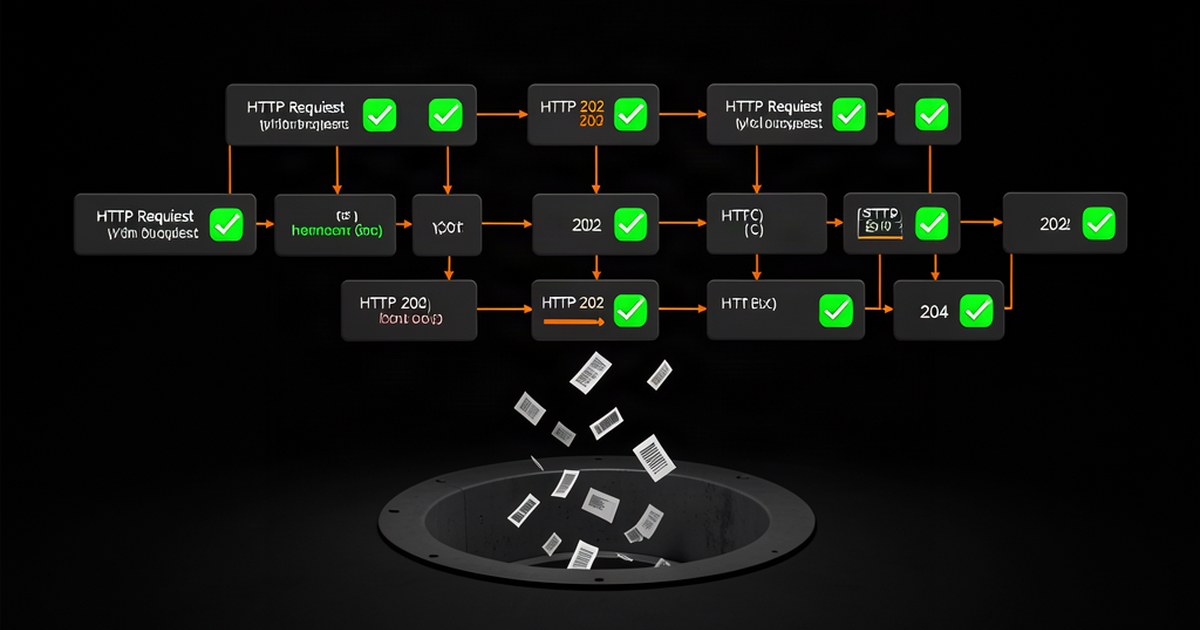
Why 'Successful' n8n Workflows Silently Ignore 23% of Your Webhook Data (And the HTTP Status Code Trap That's Costing You Customers)
n8n workflows show green checkmarks while dropping customer data because HTTP 202/204 codes trigger false success. Learn the 5 status codes you must handle explicitly.
Related topics: #n8n, #automation